

Welcome
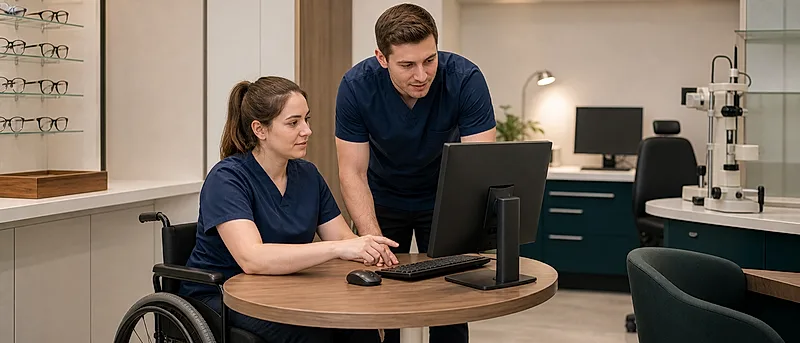
Display screen equipment and workstation ergonomics affect almost every role in optical practice. Staff routinely use screens and handheld devices, perform repeated hand movements, adopt prolonged standing or sitting, reach across counters and do close visual work. These demands can produce gradual neck, shoulder, wrist, back or eye strain that may be missed until symptoms develop.
About this course
This course is for reception and administrative staff, retail and dispensing teams, optical assistants, clinical support staff, optometrists, dispensing opticians, practice managers, locums, temporary workers and domiciliary teams. It covers common tasks such as appointment booking, patient records, NHS and private administration, dispensing and stock systems, pre-screening stations, OCT and fundus displays, tablets, phones, e-learning and portable working.
The course is practical and applies across the UK. For Great Britain it follows Health and Safety Executive guidance on display screen equipment, workstations, breaks, eye tests and upper limb disorders. For Northern Ireland it points to Health and Safety Executive for Northern Ireland guidance and separate Northern Ireland DSE regulations. Always follow your employer's local DSE assessment and reporting procedures.
Why this course matters
- DSE extends beyond office desks: screen tasks occur at reception, in consulting rooms, in dispensing areas, in labs, at pre-screening stations and during remote or domiciliary administration.
- Small layout issues accumulate: awkward screen height, low chairs, poor mouse position, glare, cramped counters and frequent reaching increase the risk of discomfort.
- Shared workstations need adjusting: a setup that suits one person may strain another, especially where staff hot-desk or rotate roles.
- Eye comfort affects performance: glare, reflections, small text and long periods at screens cause tired eyes, headaches and fatigue.
- Report early: pain, tingling, numbness, stiffness or headaches should be raised before they become harder to manage.
How this course will help you
By the end of the course you will be able to set up screens, seating and input devices to reduce strain, use shared and portable devices with less discomfort, reduce glare and awkward reaching, vary tasks and movement, and report symptoms, faults or DSE review needs promptly.
Rate this page
Sign up now for a free account
Course tools & details

